
Our local photographic club recently held a “STRAIGHT pictures“ evening. Fear not, it was nothing to do with sexual orientation. On the face of it, it sounded simple enough: a photograph straight from the camera with no Photoshop/Lightroom trickery.
Clear? No, of course not. 🙂
The idea was to get back to the days of real film – back to the 60s, said the brief – but then the questions started. I’m not at all sure I have the answer but here’s a few observations/thoughts.
Everything out of a film camera goes through some processing before you get to see any result. Print film, be it colour or monochrome, creates a negative on celluloid which must first be developed [read processed] before being printed onto paper through an enlarger. To do that job properly, a colour print should have its White Balance assessed and adjusted using filters. Monochrome prints could be printed on low or high contrast papers giving some adjustment of the final image. There are choices to be made. The nearest to “straight out of camera” is probably colour positive slide film, e.g. Fuji Velvia or Kodachrome, that is simply developed before being projected to reveal the image recorded by the camera.
There is a bit of a complication introduced by the physics of DSLR technology. Whereas an image recorded on celluloid film in an SLR is as sharp as your focus and lens quality will allow, most DSLRs soften the image making a bit of post-process sharpening necessary. This is due, at least in part, to the anti-aliasing filter used in front of the receiver in most DSLRs. The digital receiver itself, being a grid of receptors each sensitive to one of three different colours, also contributes to softness – the dots for all colours do not align. So, to level the playing field with film a degree of sharpening is required.
Sticking with print film equivalence, DSLRs capture a digital negative, a RAW file, internally which must also be processed before you can see anything at all. What you see on the back screen of the camera is an internally generated JPEG but to create it the camera’s software has to use some settings which specify attributes like contrast, colour saturation etc. Some minimal post-processing has happened internally to make the result visible. It’s the digital equivalent of developing. Since that is necessary to see anything, it would have to be thought of as straight out of the camera.
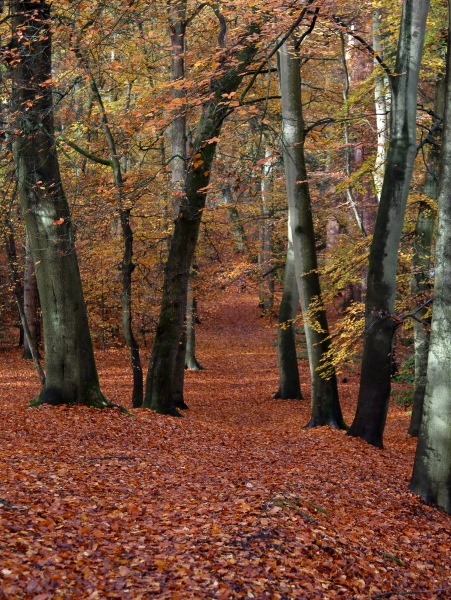 So, our digital straight out of camera photos were allowed to be sharpened and, perhaps curiously, “creatively” cropped. Perhaps that is to allow folks with a 35mm format camera to replicate something from a panoramic camera? [Or maybe there wasn’t that much thought involved.] Filling that remit, here’s a recent shot of the autumn woodland near our house.
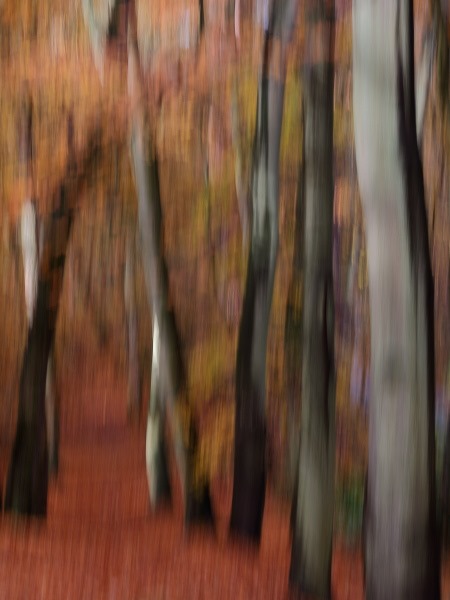 Having adjusted aperture to select depth of field, shutter speed to stop camera shake, and ISO to suit, over and above a straightforward point and <click>, it is possible to get a bit creative, a.k.a. arty. A popular fashionable technique is so-called ICM [Intentional Camera Movement]. This involves someone spending £1000+ on a pin sharp pro-grade lens such as a Canon L-series, then deliberately moving the camera during a relatively long exposure, say 1/10th sec, to completely negate the pin sharpness of the expensive lens and produce a deliberately blurred image. Go figure! Much as I enjoy taking the piss, it can produce some very pleasing results and Carol is pretty accomplished at it. She helped me, as a complete ICM novice, with this shot which is more or less the same shot as above but using ICM.
The ICM technique works equally well on film and on digital receivers. It’s still a single photograph done entirely in camera and does, I’d say, fulfil the straight out of camera brief.
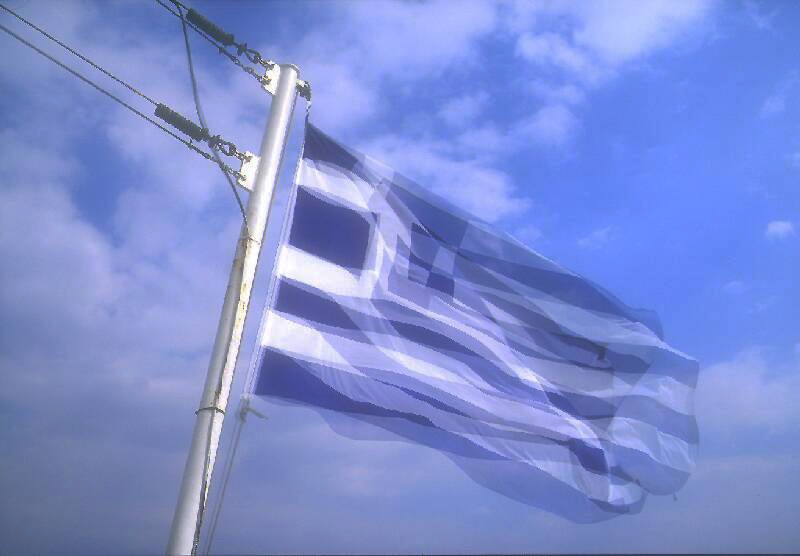 Now we get tricky. Back in 2003 I had a much loved Canon EOS 3 35mm SLR film camera. It allowed for multiple exposures on a single frame of celluloid. Not being naturally arty, I couldn’t see the point until we were on a Greek Island Wanderer holiday. One of our travelling companions was interested in multiples so I had a go with a violently flapping Greek flag aboard ship. This is a 3-shot multiple exposure I took in 2003 on Fuji Velvia slide film. Each shot had to be underexposed by 1.66 stops to get the overall exposure on a single frame roughly correct. I was a convert in certain situations – this conveyed much more of the dynamism of a flapping flag without really being blurred. [Careful, down Mr. Arty. It’s an elderly shot scanned on basic equipment so not great but the idea is there.] Not all film SLRs allowed for multiple exposures but it is/was sometimes possible to disengage the film advance mechanism while re-cocking the shutter so it could be forced.
Again, this was all done in camera with no post-processing trickery so it would be valid, in my book.
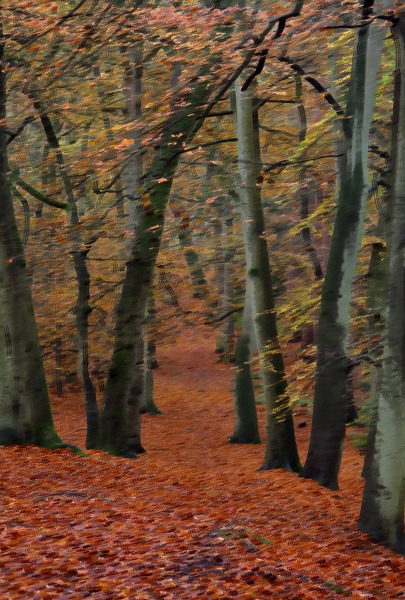 Early DSLRs didn’t support multiple exposures. Many now do but not all provide the same combination flexibilities to the photographer. The playing field, as they say irritatingly, is not level. There was but one way to combine multiple shots on film, as above; the result is the average of all the shots, hence the need to adjust the exposure. With the increased computing power within a DSLR, some now allow you to combine images in different ways. First of all, you can still do the average combination but you don’t have to calculate the exposure adjustment, technology does that for you. Some provide additional combination mechanisms, such as preserving/favouring darker areas or preserving/favouring lighter areas. Here’s my woodland scene again, this time as three exposures blended together favouring dark areas. All automatic in my Canon 7D mkII.
You can’t do dark blending on a film camera, though, and there’s some serious computer-based post-processing going on, albeit in the camera. I’d rule that out. Nice effect, though, which looks a bit like an oil painting. [No, it isn’t the Photoshop oil painting filter.]
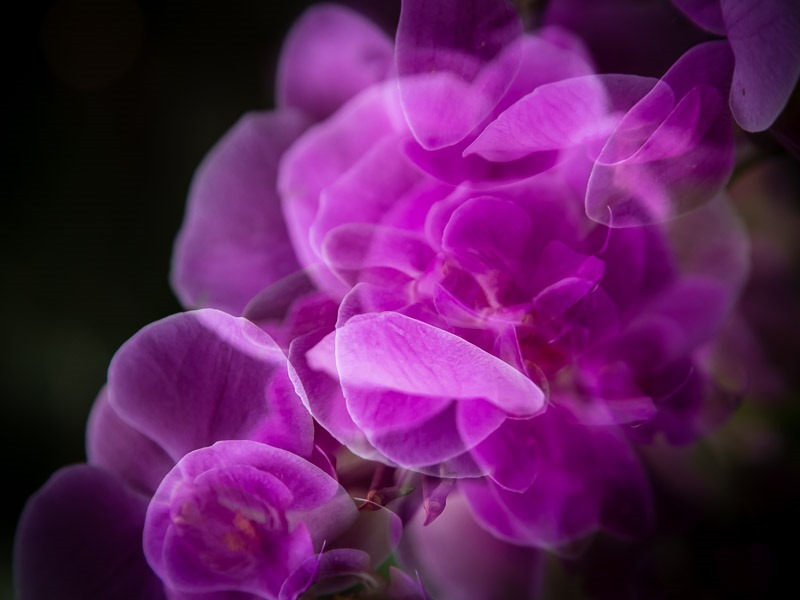
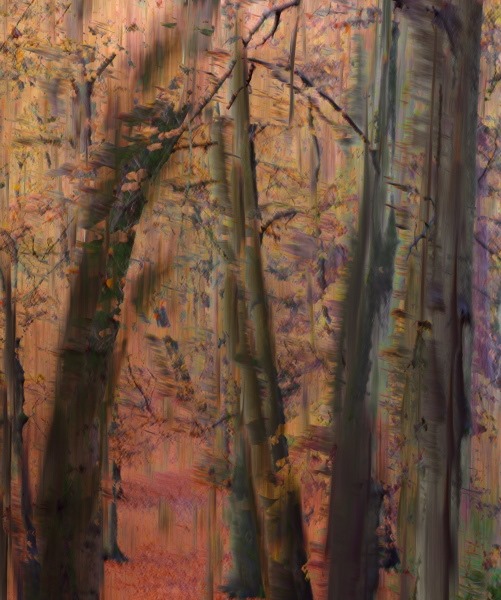 Going out into the arty left field, you can combine multiple exposures with the ICM technique. Again with considerable guidance from the Master, Grasshopper tried it and really liked the result. Photographing woodlands may never be the same again. Oh help! 😀
As far as a straight photograph is concerned: ICM, OK; ICM with multiple shots blended using dark mode, definitely not OK.
Whilst nothing has been done in Photoshop, there is an increasing amount of Photoshop-equivalent trickery built into modern digital camera on-board processors. The latest Olympus OM-D EM-1 mkII will automatically advance the focus point minutely (step interval may be specified) and focus stack the resultant multiple images to get an increased depth of field. Such a focus-stacking technique – combining the sharp part of many images – all within the software, makes macro wildlife photography very interesting. It’s definitely not in the spirit of straight out of camera, though.
I can’t show you a focus stacked image ‘cos I haven’t got an Olympus OM-D EM-1 mk II … yet. 😉

Recent Comments